


Muvio - AI Music Video Maker
4.7275.00 Reviews
App Specs
- Version
- 1.1.5
- Updated On
- License
- Free
- Downloads
- 500,000+
- Developer
- AI Song & Music Maker & AI Video & AI Photo
- Categories
- Music & Audio
- Platform
- Android
Screenshots
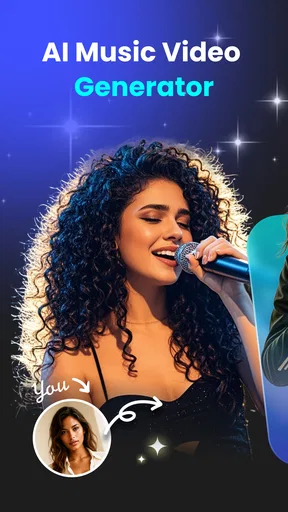
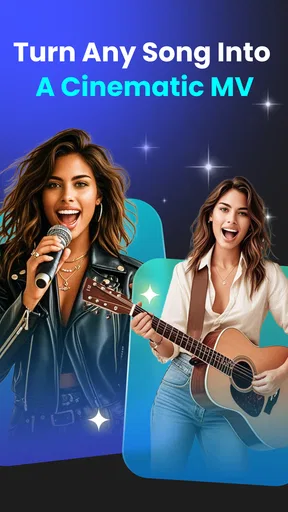
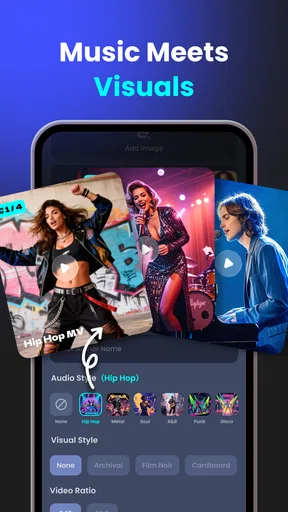
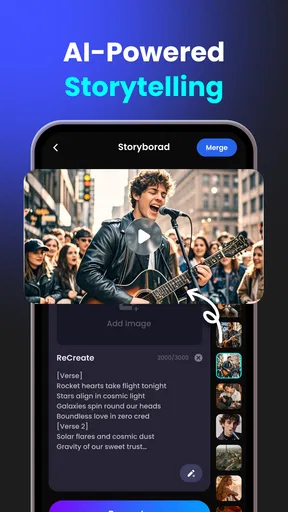
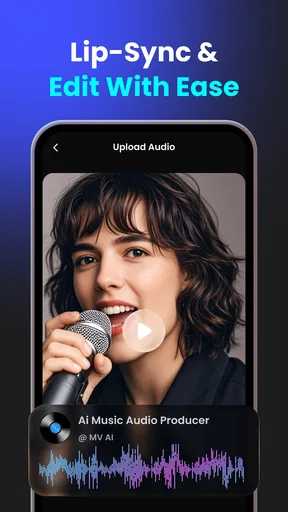
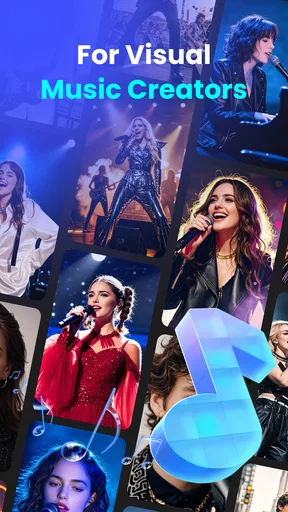
 Analysis by AppCompare
Before opening a music-making app, I like to know what a first session is likely to feel like: will I need editing experience, a finished song, or a detailed plan? Muvio - AI Music Video Maker is aimed at making AI-assisted music and video creation approachable, so it is worth treating the first attempt as a small experiment rather than a production project. Pick one simple idea, keep your expectations flexible, and judge the result by whether it gives you a useful starting point.
Muvio is a free music and audio app from AI Song & Music Maker & AI Video & AI Photo. It has a 4.3 average from around 3,400 ratings, and it has passed 100,000 installs. The app is rated for Everyone, though its optional in-app purchases range from $9.99 to $59.99 per item. Its current version is 1.0.7, and it is listed for Android 8.1 and later. Those details make it easy to place: it is a relatively accessible creative tool, but “free” does not necessarily mean every option you may want to try is included at no cost.
What to expect from a first session
The central appeal is the chance to move between music ideas and video without starting with a traditional editing timeline. The app is described as a place to create AI music, generate lyrics, and turn songs into music videos. That combination is especially useful if you have a rough concept but no recording setup, editing routine, or finished visual plan. I would approach it as a way to explore possibilities, not as a replacement for a complete music-production or professional video-editing workflow.
It helps to decide what you want to leave with before you begin. If your goal is simply to test a mood or sketch an idea, a short, specific prompt or lyric concept is easier to evaluate than an ambitious request that tries to define an entire song, its story, and its visual identity at once. A first result can tell you whether the direction feels right; it does not have to be ready to publish.
From installing to finding a useful starting point
For a new user, the most reassuring approach is to begin with one clear creative seed: a topic, a feeling, or a situation you can describe in ordinary words. If you want lyrics, give yourself a simple subject and a point of view rather than trying to write a perfect brief. If you want a video, first decide what the song should feel like. Keeping those choices connected makes it easier to tell whether the audio and visuals belong together.
After installing, I would explore the creation choices in stages instead of tapping through every possibility at once. First see what the music or lyric workflow can produce from your idea; then consider the video step. This gives you a better sense of what each part contributes and makes it easier to spot where a result diverges from what you imagined. It also helps prevent a common first-use mistake: changing several creative decisions at the same time and then not knowing which one improved or weakened the outcome.
How to make the first result more useful
A practical first project could be a short mood piece for a personal post: choose a feeling such as playful or reflective, write down a concrete subject, and see whether the generated material gives you a direction worth developing. You do not need to start by aiming for a polished track. Even an imperfect result can help you decide whether the idea should be brighter, calmer, more direct, or more visual.
Worth Reading Before You Choose

Flipboard Shows What News Apps Must Do Beyond the Feed

Switching to Android Auto Means Rethinking Your Driving Routine

Google Calendar Makes a Crowded Week Easier to Manage

Ludo King Makes the Most of the Minutes Between Plans

Baby Panda World Brings Quick Play to Modern Phones, but Its Game Library Feels Busy

ESPN’s Live Game View Makes Following Close Games Easier
For lyrics, I find it useful to think in terms of one memorable idea rather than a long list of details. A focused subject gives you something to judge when you read the result: does it sound like the message you wanted to express, or has it drifted into a different mood? For the video, make the same check between the song’s feeling and the visual treatment. That simple review is more productive than assuming the first output must be kept exactly as it appears.
Where the convenience has limits
AI generation can make the first step feel less intimidating, but convenience does not remove the need for taste and revision. A generated lyric may not express your intended point precisely, and a musical or visual idea may need another pass before it feels personal. If you need exact control over a vocal performance, arrangement, shot timing, or a carefully branded edit, a dedicated audio workstation or conventional video editor will usually give you a more dependable level of detail.
It is also sensible to separate experimentation from commitment. Since optional purchases are available, I would first work out whether the basic creation path suits the way you think before deciding to spend money. If a feature or item prompts a purchase, read the in-app terms carefully and consider whether it solves a real need in your project. Someone who only wants occasional, low-stakes creative sketches may be perfectly happy exploring casually; someone planning frequent, controlled production should compare the cost and workflow with specialist tools.
Unpacking the Features
First off, let’s talk about what Muvio - AI Music Video Maker actually brings to the table. Imagine having an app that uses AI to help you craft music and visual ideas without beginning with a complicated manual workflow. Sounds pretty neat, right? Well, that’s the creative promise that makes the app worth exploring, especially if you want a quick route from a concept to something you can assess.
From the get-go, the interface is super user-friendly. You don’t need a degree in film editing to figure things out. Just select your music, choose from a variety of themes, and let the AI do its magic. It’s like having a personal video editor tucked right into your phone.
AI-Powered Editing Magic
The real kicker here is the AI. It analyzes your chosen music and automatically syncs the visuals to match the beat. This is a godsend if you’ve ever tried to manually align video clips to audio – a task that can be infuriatingly time-consuming. With Muvio, it’s almost as if the app reads your mind and does all the heavy lifting for you.
Plus, the app offers a bunch of filters and effects that you can play around with. Want to add a vintage vibe? Or maybe something more futuristic? Muvio’s got you covered. And the best part? You can preview everything in real-time, making adjustments on the fly without any lag.
Customization and Creativity
Even though the app relies heavily on AI, there’s still plenty of room for personal touch. You can tweak the pacing, rearrange clips, and add text overlays to make your video stand out. It’s like having the perfect blend of automated efficiency and creative freedom.
And if you’re a bit of a perfectionist, the app’s precision tools allow for fine-tuning. You can manually adjust transitions or even trim clips to get everything just right. It’s all about striking that perfect balance between ease of use and creative control.
Sharing and Connectivity
Once you’re done crafting your masterpiece, sharing it is a breeze. Muvio integrates seamlessly with social media platforms, so you can showcase your work to the world with just a few taps. Whether it’s Instagram, TikTok, or YouTube, your videos are ready to shine.
And for those who love collaborating, the app also allows for easy sharing with friends or fellow creators. You can even invite others to contribute and make it a group effort. It’s a cool way to foster creativity and connect with like-minded individuals.
Making the output fit everyday plans
One useful way to approach a music-video maker is to match the project to the time and attention you actually have. If you have a few minutes between errands, jot down a single idea for a playful clip rather than trying to finish a complete campaign. Later, you can return to the concept with a clearer sense of what should change. This staged workflow is particularly helpful for beginners because it turns an open-ended creative task into smaller decisions.
For a small creator, a draft can also serve as a mood reference before spending time on a more detailed edit elsewhere. You might use the generated combination of sound and visuals to decide what tone a post should have, then take that direction into a more controlled editor if exact timing or a particular look matters. In that sense, the app’s best role may be as an idea-launcher: it can help you move from a blank screen to a concrete direction, even when the finished piece needs more work.
There is a trade-off here. An all-in-one process is convenient because you can explore several creative steps in one place, but dedicated alternatives tend to be better when you already know exactly what you want. A manual video editor gives you direct control over every cut; a music-production app is a better fit when arranging and polishing audio is the main task. I would choose Muvio when speed and experimentation matter more than precise, professional-level control.
Questions worth settling before you commit
Do you need to arrive with a finished song? The app’s stated focus includes creating AI music and generating lyrics, so a user can approach it with an idea rather than assuming a completed track is the only starting point. If you already have a particular song in mind, the useful question is whether the available workflow matches the way you want to build the video; try a modest project first before planning a large one around it.
Is the app genuinely free to try? It is free to download, but optional in-app purchases are available. I would treat the initial exploration separately from any purchase decision and check the price and terms shown in the app before confirming an item. Is it suitable for a beginner? Its approachable purpose makes it a reasonable place to experiment, though beginners should still expect to make creative choices rather than receive a perfect result automatically.
What if you need professional control or are unsure about paying? That is where I would compare it with a dedicated editor or music tool. Those alternatives are more appropriate when exact revisions, a detailed production process, or a highly specific visual result matter more than getting a quick concept on screen. If you are simply curious, start small; if you already have strict requirements, test whether the workflow can meet them before building a project around it.
Final Thoughts
All in all, Muvio - AI Music Video Maker is a fantastic tool for anyone looking to dip their toes into the world of video creation without getting overwhelmed. It’s intuitive, efficient, and offers a ton of features that cater to both beginners and seasoned creators.
If you’ve ever wanted to create eye-catching music videos but didn’t know where to start, give Muvio a try. It’s like having a creative assistant right in your pocket, ready to bring your video ideas to life with minimal effort and maximum flair.
So, go ahead and unleash your inner director – Muvio’s got your back!
Pros
- User-friendly interface for easy navigation.
- Wide range of templates to choose from.
- High-quality video export options.
- AI-driven features enhance creativity.
- Regular updates with new features.
Cons
- Limited customization for advanced users.
- Some templates require in-app purchases.
- Occasional lag on older devices.
- No offline editing capabilities.
- Limited music library selection.
FAQs for Muvio - AI Music Video Maker
What is Muvio - AI Music Video Maker used for?
Muvio - AI Music Video Maker is an innovative app that allows users to create engaging music videos using AI technology. With a variety of templates and editing tools, it simplifies the video creation process, making it accessible for beginners and efficient for experienced creators. Users can add music, effects, and transitions to personalize their videos.
Is Muvio available for both Android and iOS devices?
Yes, Muvio - AI Music Video Maker is available for download on both Android and iOS platforms. This ensures that users across different devices can enjoy the app's features and capabilities. Make sure to check the compatibility of your device before downloading to ensure optimal performance.
Does Muvio require an internet connection to function?
Muvio primarily requires an internet connection for downloading templates, music tracks, and sharing your final videos. However, some basic editing features can be used offline. To access the full range of features and ensure seamless functionality, it is recommended to have a stable internet connection.
Are there any in-app purchases or subscriptions in Muvio?
While Muvio offers a free version with basic features, it also provides in-app purchases and subscription options for advanced features and exclusive content. Subscribing can unlock premium templates, effects, and ad-free usage, enhancing the overall user experience. Always check the app store for the latest pricing details.
How user-friendly is Muvio for beginners?
Muvio is designed to be highly user-friendly, especially for beginners. The intuitive interface, guided tutorials, and simple drag-and-drop functionality make it easy for users to start creating music videos without requiring prior experience. The app’s AI-driven tools further simplify the process, allowing for quick and impressive results.


